FlowForge Manual
CHAPTER 07 ENForgePlay & the Cockpit
The terminal cockpit and the guided ForgePlay loops that run the FlowForge ceremony for you.
ForgePlay & the Cockpit
FlowForge’s discipline could be a lot of commands to remember. Instead it’s a place you sit and a set of guided plays. The cockpit is the terminal home for your work; a ForgePlay is a one-command run of a whole ceremony. This chapter covers both.
The cockpit
Launch it with:
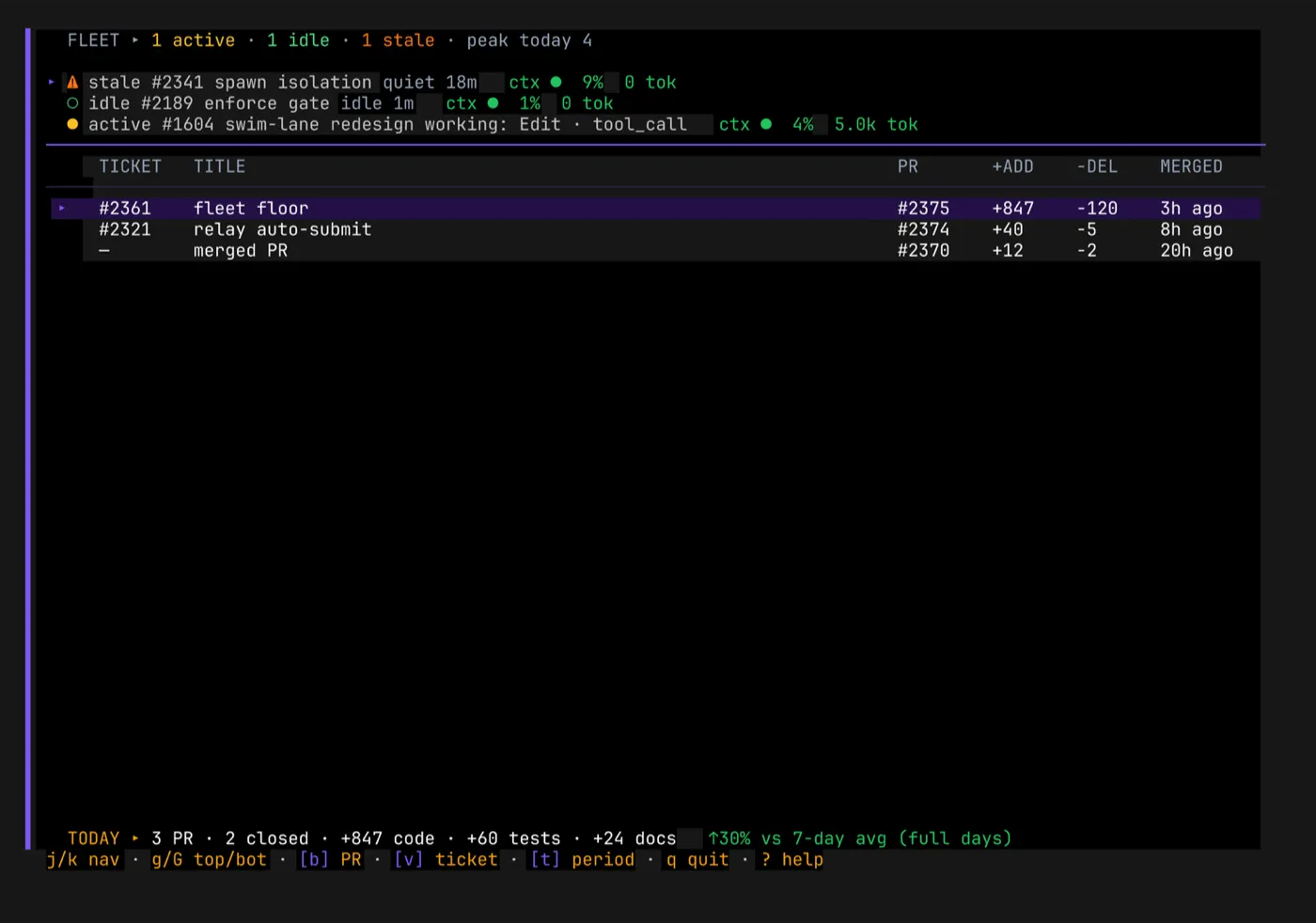
flowforge tuiThe cockpit is a full-screen terminal UI — FlowForge’s flagship surface and a deliberate piece of craft. From it you can see and drive the whole workflow:
- Time & tickets — what’s running, what’s assigned, what’s in flight.
- The board — work moving across states, including live workers.
- Dispatch — spawn a worker on a ticket, or launch a play, without leaving the screen.
The cockpit is built on a disciplined design system — a design manual and a spacing canon
that travel with every screen — so it reads as one coherent product rather than a pile of
panels. Color is never the only signal (every status pairs color with a glyph and a
label), palettes are chosen to stay legible for color-vision-deficient users, and
NO_COLOR is honored. Good terminal craft is part of the pitch, not an afterthought.
What a ForgePlay is
A ForgePlay is a named, guided run of a FlowForge ceremony — a directed sequence of steps with the founder’s approval gates built in exactly where the plan needs them. You start a play with a plain-language intent and it walks the ceremony for you, stopping at its designed gates and nowhere else.
Plan a Feature
The signature play is Plan a Feature. You describe a feature in ordinary words, and FlowForge runs the full blueprint discipline for you:
requirements → architecture → design → PRD → (you ratify) → decompose → (you review) → attached tickets- You never write the documents by hand.
- You never drop into a worker to do it.
- You touch exactly two gates: ratify the bundled plan, then review before the tickets are written.
- When the second gate passes, the tickets are emitted automatically — derived from the ratified plan, each carrying its docs trail. There is no separate “create the tickets?” re-ask, because the ratified plan is already the authorization.
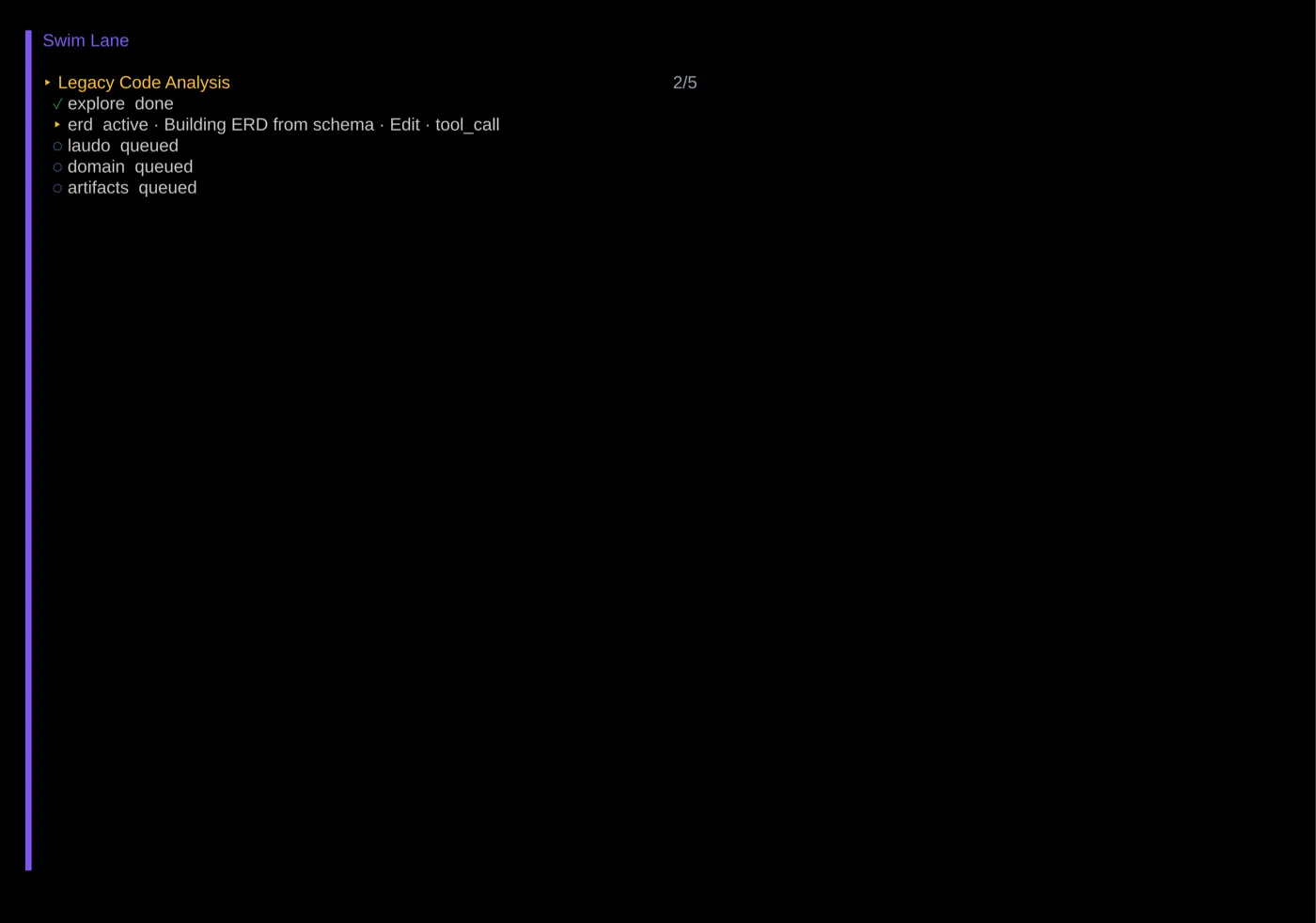
Other plays cover other shapes of work — landing a legacy codebase, standing up a landing page — but Plan a Feature is the one that turns an idea into properly-attached, properly-documented work in a single guided loop.
Guided, not automated-away
The plays don’t remove your judgment; they remove the toil around it. The ceremony — the ordering, the artifacts, the gates — runs itself, so your attention goes to the two decisions that actually matter: is the plan right, and are the tickets right.
Why it matters
The cockpit and ForgePlay are where FlowForge’s discipline stops being a list of rules you must remember and becomes a place you work and a button you press. The right way isn’t just enforced — it’s pleasant, which is the only way discipline survives contact with a deadline.